Le Chat · Social posts
How to Make Social Media Posts in Le Chat
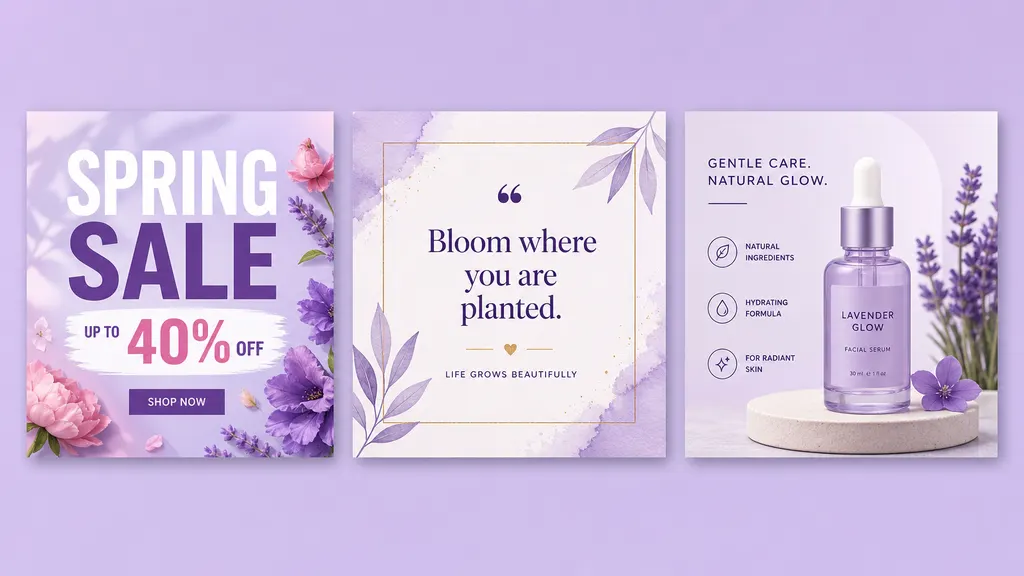
Connect PixelMCP to Le Chat and you can make social media posts by describing what you want. The images appear in your conversation, ready to download. Create Instagram, LinkedIn, X and TikTok images from a single message in ChatGPT, Claude or any AI chat. Ask for square, portrait or story sizes and get several takes to choose from.
1. Connect PixelMCP to Le Chat
This takes about a minute and you only do it once.
1. Add a connector
Open Connectors → + Add Connector → Custom MCP Connector.
2. Enter the server
Name: pixelmcp (no spaces). Server URL:
https://pixelmcp.com/mcp3. Sign in
Click Connect. Le Chat detects OAuth; sign in to PixelMCP and approve access.
Menus change often. If something doesn't match, see the full Le Chat guide.
2. Ask Le Chat for social media posts
“Make 4 square Instagram posts announcing our spring sale using my brand kit.”
“A 9:16 story image teasing our product launch on Friday, bold headline text.”
“LinkedIn post image celebrating 10,000 customers, clean and professional.”
3. Pick the right model
Nano Banana 2
Previous Google Flash model with strong prompt following and legible text. Nano Banana 2.1 is newer and cheaper.
GPT Image 2
OpenAI's image model at medium quality. Great text rendering and layouts.
Seedream 5.0 Pro
Rich, cinematic imagery and bold stylised visuals.
See every model ranked in best AI model for social media posts.
Tips
- Ask for 1:1 for feeds, 3:4 for portrait posts and 9:16 for stories.
- Save a brand kit so every post uses your colors and tone.
- Request four variations at once, then keep the best.
FAQ
Can Le Chat make social media posts?+
Yes, once PixelMCP is connected. Le Chat writes the prompt and PixelMCP generates the images with models like Nano Banana 2. The images appear right in your chat.
Which model should I use for social media posts in Le Chat?+
Start with Nano Banana 2: previous Google Flash model with strong prompt following and legible text. Nano Banana 2.1 is newer and cheaper. Name the model in your message, or let Le Chat choose.
How much does it cost?+
From $0.17 per image with the recommended models. Pay as you go with credits that never expire. New accounts get 100 free credits.
What do I need to use PixelMCP in Le Chat?+
Admin access (on Free, Pro and Student plans the account owner is the admin).