Claude · Coloring book pages
How to Make Coloring Book Pages in Claude
Connect PixelMCP to Claude and you can make coloring book pages by describing what you want. The images appear in your conversation, ready to download. Make clean black-and-white line art coloring pages and full-color covers for printables, classrooms and Amazon KDP books. Ask for a whole themed set in one conversation.
1. Connect PixelMCP to Claude
This takes about a minute and you only do it once.
1. Open connector settings
Go to Customize → Connectors, click + and choose “Add custom connector”. On Team or Enterprise, an owner first adds it under Organization settings → Connectors.
2. Add the server
Name it PixelMCP and paste this server URL:
https://pixelmcp.com/mcp3. Sign in
Click Connect. A window opens where you sign in to PixelMCP and approve access.
4. Turn it on in a chat
In a conversation, click + (lower left) → Connectors and make sure PixelMCP is switched on.
Menus change often. If something doesn't match, see the full Claude guide.
2. Ask Claude for coloring book pages
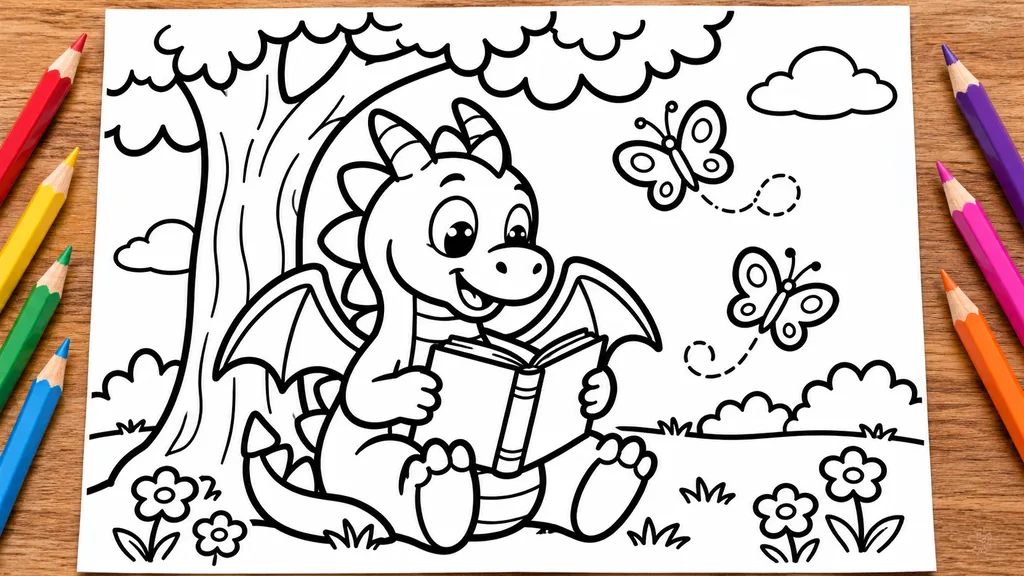
“Children's coloring page: a friendly dragon reading a book under a tree, thick clean black outlines, no shading, white background, portrait 3:4.”
“Set of 4 ocean animal coloring pages for ages 4 to 6, same line weight, simple shapes.”
“Full-color paperback cover for a kids' coloring book called “Dino Days”, cheerful and bright, 3:4.”
3. Pick the right model
Recraft V4.1
Illustration, icons, posters and brand design work.
GPT Image 2
OpenAI's image model at medium quality. Great text rendering and layouts.
Nano Banana 2
Previous Google Flash model with strong prompt following and legible text. Nano Banana 2.1 is newer and cheaper.
See every model ranked in best AI model for coloring book pages.
Tips
- Say “thick clean outlines, no shading, no gray, white background” in every prompt.
- Recraft V4.1 keeps line weight consistent across a set.
- Use 3:4 portrait, then place pages on your trim size in your layout tool.
- Use GPT Image 2 for covers with a title.
FAQ
Can Claude make coloring book pages?+
Yes, once PixelMCP is connected. Claude writes the prompt and PixelMCP generates the images with models like Recraft V4.1. The images appear right in your chat.
Which model should I use for coloring book pages in Claude?+
Start with Recraft V4.1: illustration, icons, posters and brand design work. Name the model in your message, or let Claude choose.
How much does it cost?+
From $0.13 per image with the recommended models. Pay as you go with credits that never expire. New accounts get 100 free credits.
What do I need to use PixelMCP in Claude?+
Any Claude plan (Free is limited to one custom connector). Set it up on the web or desktop app; it syncs to mobile.