ChatGPT · Invoices & documents
How to Make Invoice and Document Designs in ChatGPT
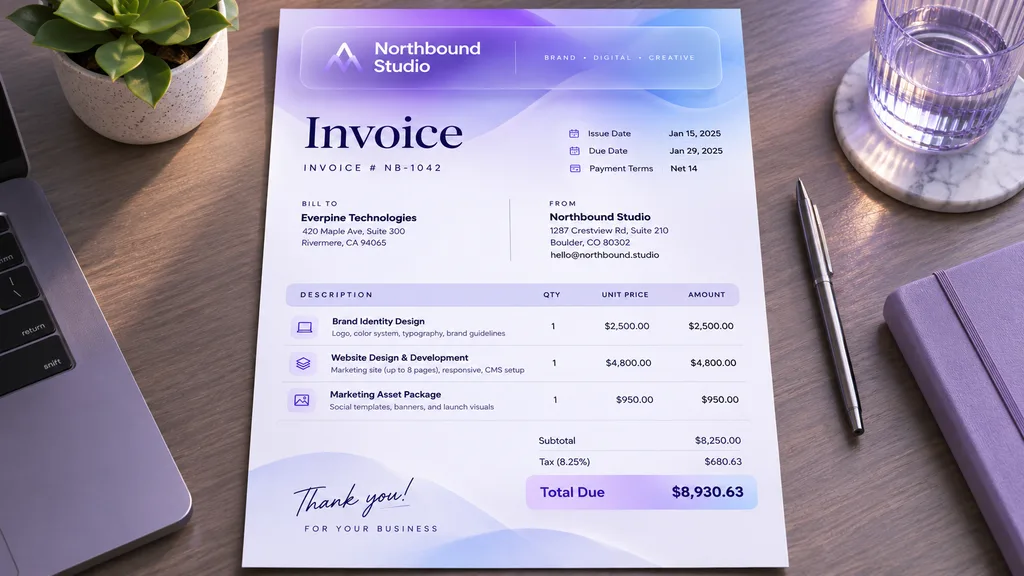
Connect PixelMCP to ChatGPT and you can make invoice and document designs by describing what you want. The images appear in your conversation, ready to download. Explore design directions for invoices, quotes, letterheads, menus and one-pagers. See several looks in minutes, then hand the one you like to your coding agent to build as a real template.
1. Connect PixelMCP to ChatGPT
This takes about a minute and you only do it once.
1. Enable developer mode
Go to Settings → Security and login and turn on Developer mode.
2. Create the plugin
Open Plugins and click +. Name it PixelMCP, choose OAuth for authentication, and under Connection paste this MCP server URL:
https://pixelmcp.com/mcp3. Sign in
Sign in to PixelMCP and approve access, then review the tools ChatGPT found.
4. Use it in a chat
Start a new chat, open the + menu → Developer mode, and pick PixelMCP. ChatGPT asks you to confirm before each generation.
Menus change often. If something doesn't match, see the full ChatGPT guide.
2. Ask ChatGPT for invoice and document designs
“A4 portrait invoice design, glassmorphism style header with a soft purple-blue gradient, clean line-item table, total highlighted.”
“Three letterhead concepts for a law firm called Archer & Reed: classic, modern and minimal.”
“One-page restaurant menu design, warm Italian trattoria style, 3:4.”
3. Pick the right model
Nano Banana Pro
Highest fidelity from Google: complex scenes, infographics, precise text.
GPT Image 2
OpenAI's image model at medium quality. Great text rendering and layouts.
See every model ranked in best AI model for invoice and document designs.
Tips
- Use these as design mockups. Build the final template in your editor so numbers and text stay editable.
- Nano Banana Pro is the most precise with lots of small text.
- Ask for one style per image and compare side by side.
- In Claude Code or Cursor, ask the agent to turn your chosen design into HTML or a PDF template.
FAQ
Can ChatGPT make invoice and document designs?+
Yes, once PixelMCP is connected. ChatGPT writes the prompt and PixelMCP generates the images with models like Nano Banana Pro. The images appear right in your chat.
Which model should I use for invoice and document designs in ChatGPT?+
Start with Nano Banana Pro: highest fidelity from Google: complex scenes, infographics, precise text. Name the model in your message, or let ChatGPT choose.
How much does it cost?+
From $0.20 per image with the recommended models. Pay as you go with credits that never expire. New accounts get 100 free credits.
What do I need to use PixelMCP in ChatGPT?+
A Plus, Pro, Business, Enterprise or Edu plan on the web. Workspace admins may need to allow developer mode.