ChatGPT · Storyboards & comics
How to Make Storyboards and Comics in ChatGPT
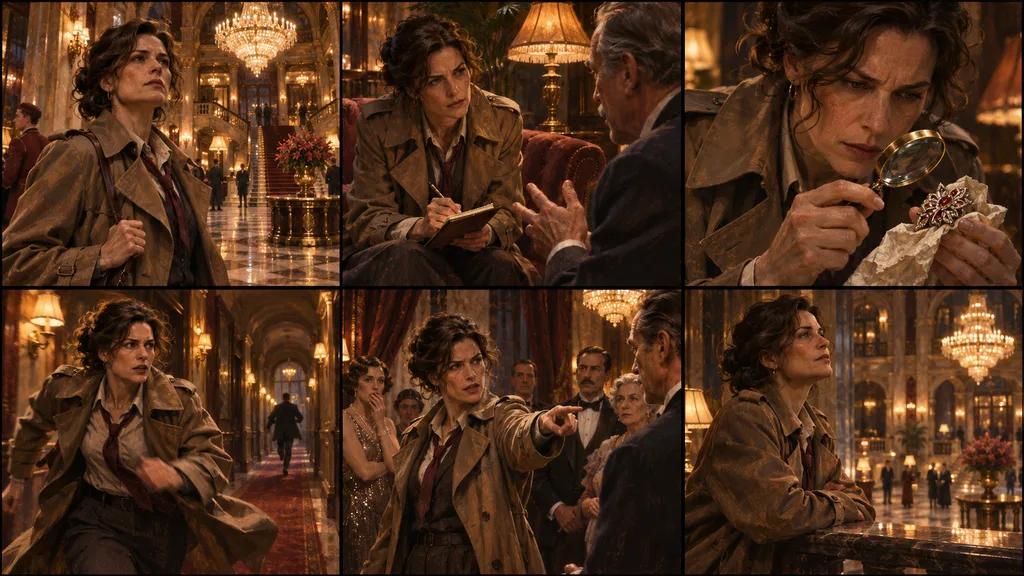
Connect PixelMCP to ChatGPT and you can make storyboards and comics by describing what you want. The images appear in your conversation, ready to download. Turn a script or story into storyboard frames, comic panels and character sheets. Describe each character once and your AI assistant reuses the description in every scene so they stay recognizable.
1. Connect PixelMCP to ChatGPT
This takes about a minute and you only do it once.
1. Enable developer mode
Go to Settings → Security and login and turn on Developer mode.
2. Create the plugin
Open Plugins and click +. Name it PixelMCP, choose OAuth for authentication, and under Connection paste this MCP server URL:
https://pixelmcp.com/mcp3. Sign in
Sign in to PixelMCP and approve access, then review the tools ChatGPT found.
4. Use it in a chat
Start a new chat, open the + menu → Developer mode, and pick PixelMCP. ChatGPT asks you to confirm before each generation.
Menus change often. If something doesn't match, see the full ChatGPT guide.
2. Ask ChatGPT for storyboards and comics
“Character sheet for Detective Clara Mendes: a woman around 45, short gray hair, tan trench coat. Front, side and 3/4 views.”
“Storyboard frame: Clara arrives at a grand hotel wedding at night, wide cinematic shot, painterly realism, 16:9.”
“Six comic panels of Clara finding a clue in the bridal suite, same character and style in each panel.”
3. Pick the right model
Nano Banana 2
Previous Google Flash model with strong prompt following and legible text. Nano Banana 2.1 is newer and cheaper.
Seedream 5.0 Pro
Rich, cinematic imagery and bold stylised visuals.
Recraft V4.1
Illustration, icons, posters and brand design work.
See every model ranked in best AI model for storyboards and comics.
Tips
- Write a short description of each character and ask your assistant to include it in every prompt.
- Make a character sheet first, then refer back to it in later scenes.
- Nano Banana 2 is strong at keeping a character consistent across scenes.
- Use 16:9 for film storyboards and 3:4 for comic pages.
FAQ
Can ChatGPT make storyboards and comics?+
Yes, once PixelMCP is connected. ChatGPT writes the prompt and PixelMCP generates the images with models like Nano Banana 2. The images appear right in your chat.
Which model should I use for storyboards and comics in ChatGPT?+
Start with Nano Banana 2: previous Google Flash model with strong prompt following and legible text. Nano Banana 2.1 is newer and cheaper. Name the model in your message, or let ChatGPT choose.
How much does it cost?+
From $0.13 per image with the recommended models. Pay as you go with credits that never expire. New accounts get 100 free credits.
What do I need to use PixelMCP in ChatGPT?+
A Plus, Pro, Business, Enterprise or Edu plan on the web. Workspace admins may need to allow developer mode.